
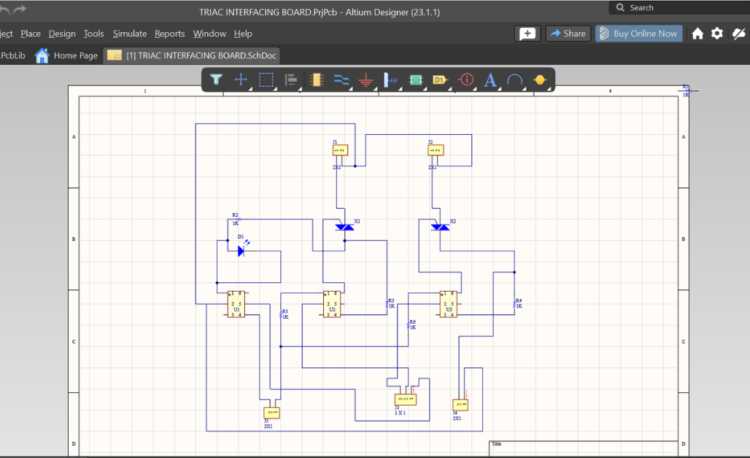
Altium CircuitMaker is a powerful free PCB design software developed for students, hobbyists, and electronics learners. It provides a professional schematic and PCB layout environment without any license cost, making it ideal for beginners who want to learn industry-style PCB design. CircuitMaker helps users understand real-world PCB workflows while preparing them to move toward advanced professional tools.
This article explains what Altium CircuitMaker is, its features, and the step-by-step process to design a PCB using the software.
What is Altium CircuitMaker?
Altium CircuitMaker is a community-based PCB design tool that allows users to design electronic schematics and printed circuit boards using a professional workflow. Unlike paid PCB software, CircuitMaker is free to use but requires projects to be shared publicly within its community. This approach promotes learning, collaboration, and open hardware development.
CircuitMaker is commonly used for educational purposes, academic projects, and PCB design practice before transitioning to professional tools.
Key Features of Altium CircuitMaker
Altium CircuitMaker offers schematic capture and PCB layout in a single platform. It includes integrated component libraries, real-time design rule checks, interactive routing, and 3D PCB visualization. Users can also generate manufacturing files such as Gerber and drill files, making it suitable for real PCB fabrication.
Step-by-Step Process to Use Altium CircuitMaker
The first step is downloading and installing the software. Users need to create a free Altium account, download CircuitMaker, and log in after installation.
Next, a new project is created by providing a project name and description. All projects are stored in the community workspace, where schematics and PCB layouts are managed.
After creating the project, the schematic design begins. Components such as resistors, capacitors, microcontrollers, and connectors are placed from built-in or community libraries. Components are connected using wires, and proper net labels are assigned to ensure correct electrical connections.
Once the schematic is completed, it must be compiled and validated. This step checks for errors, warnings, and missing footprints. Fixing these issues early helps avoid PCB layout problems.
The next stage is PCB layout creation. The schematic data is transferred to the PCB editor, where the board shape and size are defined. Components are placed carefully to optimize routing, reduce noise, and improve manufacturability.
After placement, routing is performed. Tracks are routed manually using interactive routing tools. Proper trace width, spacing, and smooth routing paths are maintained. CircuitMaker automatically flags any design rule violations during routing.
Once routing is complete, the design is reviewed using the 3D PCB view. This allows users to visually inspect component placement, connector alignment, and overall mechanical fit. A final design rule check ensures the PCB is error-free.
Finally, manufacturing files are generated. Gerber files, drill files, and bill of materials can be exported and shared with PCB fabrication vendors.
Advantages of Altium CircuitMaker
Altium CircuitMaker provides free access to a professional PCB design environment. It helps beginners learn industry-standard workflows and gain practical design experience. The strong community support and modern interface make learning easier and more effective.
Limitations of Altium CircuitMaker
The main limitation is that all projects must be public. This makes it unsuitable for confidential or client-based designs. Advanced high-speed and complex PCB features are also limited compared to paid tools.
Conclusion
Altium CircuitMaker is an excellent choice for learning PCB design. Its step-by-step workflow, professional interface, and practical features make it ideal for students and beginners. Anyone looking to build strong PCB design fundamentals can confidently start with Altium CircuitMaker.