
Introduction
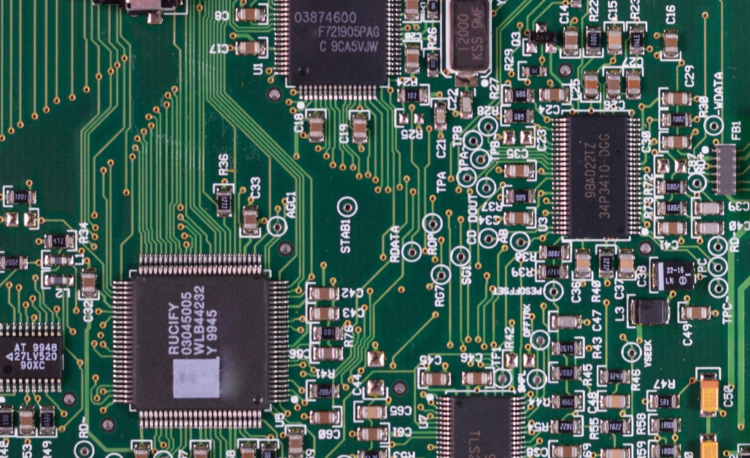
Online Printed Circuit Board (PCB) design is the process of creating electronic circuit layouts using web-based or cloud-supported PCB design tools. These tools allow designers to work from anywhere without installing heavy software. Online PCB design is widely used by students, engineers, startups, and electronics professionals for faster development, easy collaboration, and cost-effective manufacturing. It plays an important role in industries such as electronics manufacturing, IoT, automation, and embedded systems.
Step 1: Understanding PCB Requirements
The first step in online PCB design is understanding the circuit requirements. This includes defining the application, operating voltage, current rating, board dimensions, number of layers, and component types. Proper planning helps avoid design errors and ensures the PCB performs efficiently and reliably in real-world conditions.
Step 2: Selecting Online PCB Design Software
Choosing the right online PCB design software is essential. A good platform should support schematic capture, PCB layout design, and design rule checking. Many online tools offer built-in component libraries, cloud storage, and collaboration features. Selecting the correct software improves productivity and design accuracy.
Step 3: Creating the Circuit Schematic
Schematic design is the backbone of PCB development. In this stage, electronic components such as resistors, capacitors, diodes, transistors, and integrated circuits are placed and connected logically. Online PCB design tools provide standard symbols and libraries, making schematic creation simple and error-free.
Step 4: Assigning Component Footprints
After completing the schematic, footprints must be assigned to each component. A footprint defines the physical size, pin spacing, and mounting type of a component on the PCB. Correct footprint assignment ensures proper soldering and smooth assembly during manufacturing.
Step 5: PCB Layout Design
PCB layout design involves placing components on the board and routing electrical connections between them. Proper placement reduces noise, improves signal integrity, and enhances thermal performance. During routing, designers must follow design rules such as trace width, spacing, and grounding practices. Online tools often provide automatic routing assistance and visual guidance.
Step 6: Design Rule Check (DRC)
Design Rule Check is an important step in online PCB design. It helps identify errors such as short circuits, unconnected tracks, overlapping components, and spacing violations. Running DRC ensures the design meets manufacturing standards and reduces the risk of production failures.
Step 7: Generating Gerber Files
Once the PCB design is finalized, Gerber files are generated. These files contain detailed information about copper layers, solder mask, silkscreen, and drill holes. Gerber files are essential for PCB fabrication and are accepted by all PCB manufacturers worldwide.
Step 8: Online PCB Manufacturing and Assembly
Many online PCB design platforms are integrated with PCB fabrication and assembly services. Designers can directly upload Gerber files, choose board specifications, and place manufacturing orders. This end-to-end process saves time, reduces cost, and speeds up product development.
Benefits of Online PCB Design
Online PCB design offers flexibility, accessibility, and ease of collaboration. Designers can work from any location, share projects in real time, and access updated component libraries. It is ideal for beginners and professionals who want faster turnaround and scalable design solutions.